Flipping for Flipgrid!
What is Flipgrid?
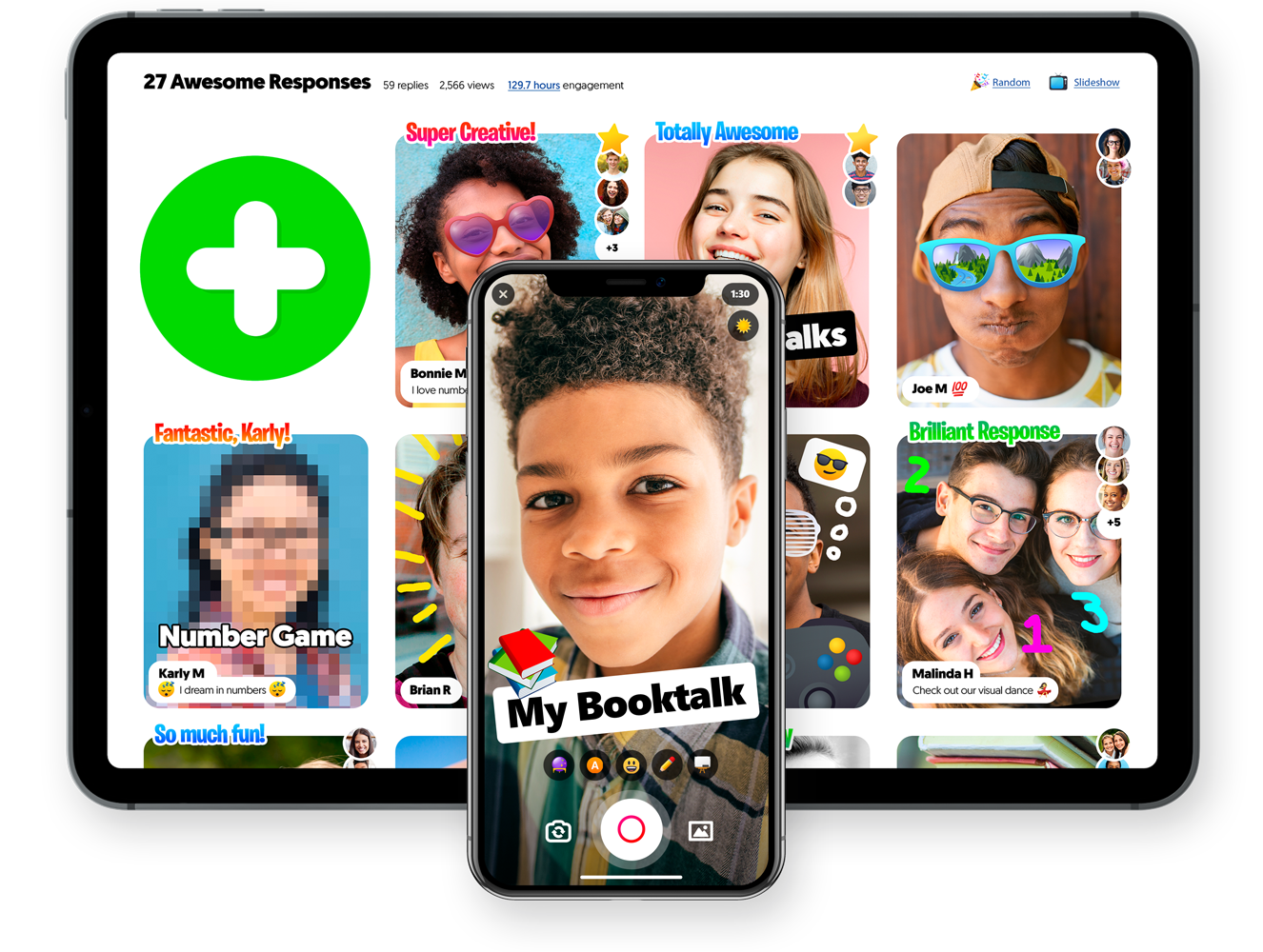
Flipgrid is a free website and app where students are able to record video responses in a grid created by the teacher (Valenza, 2015). Flipgrid is an educational tool where teachers can facilitate video discussions and social interactions among students. Educators spark discussions while students create, view, react, and respond to each other in an engaging way (Flipgrid).How to Locate Flipgrid:
Website Link: https://info.flipgrid.com/Apple App Link: https://apps.apple.com/us/app/flipgrid/id756972930
How to use Flipgrid:
When educators first access the site they can easily signup to create a free account. After creating an account, the next step is to create a grid. The grid is like the class. For example, a teacher can have a different grid for each class they teach. Once the grid is created, the educator can post a topic. This can be a question, a discussion topic, a video, link, or much more. Students will then access the grid topic and record their own video response to the topic.How to Access Flipgrid:
In order for users to access Flipgrid, the grid must be shared with them via a link, an embedded code, a QR code, on Google Classroom, or on Remind. If the grid is password protected, users must input the password in order to access the grid and topic. Users will then be able to record their video response by easily clicking the plus sign symbol on the screen. They can also respond and react to classmates videos.Integrating Flipgrid into an Instructional Activity to Support Student Learning:
Flipgrid can be used in a variety of ways to support student learning. Ideas for integrating Flipgrid into instructional activities:

- Student discussions
- Students explaining their mathematical thinking
- Student book talks
- Student book reviews
- Reports/Projects
- Student reflections
- Book studies
- Small group discussions
- Lesson exit tickets to check for student understanding
- Sub plans/directions for distant learning
- Virtual Guests/Presenters
- Read alouds
- Sending information/updates/news out to the school or a class
- Teachers and librarians can also use any of the Disco Library pre-made lessons and activities for students (example above)
Helpful Resources:
Flipgrid Educator's Guide: https://blog.flipgrid.com/educatorsguideFlipgrid Blog: https://blog.flipgrid.com/
Classroom Ideas: https://ditchthattextbook.com/catch-the-flipgrid-fever-15-ways-to-use-flipgrid-in-your-class/
Have you used Flipgrid in your classroom or library? Please share your ideas below!
References:
Flipgrid. (n.d.). Retrieved from https://info.flipgrid.com/
Flipgrid. (n.d.). Retrieved from https://info.flipgrid.com/
Valenza, J.K. (2015). Evolving with evidence. Knowledge Quest, 43(3), 36-43.

Is the Comparing Fiction and Nonfiction lesson from the Disco Library or can I not find the example? I tried to access the Disco Library via Flipgrid, but it wanted me to create an account before looking around (I honestly don't remember my login from Summer). I know my wife (Spanish teacher) uses Flipgrid a lot in order to assess language fluency. She says it's good for students who are shy about speaking in front of others and it saves class time.
ReplyDeleteHi Eric,
DeleteIt is in the Disco Library! You do have to be logged in to your educator account in order to access the Disco Library. I love the idea of using Flipgrid to assess fluency. That's a great idea! I would love to hear more about how your wife uses it and what grade levels! Thanks for sharing!
Really like the organization and layout of your blog. Flipgrid sounds fast, easy, and interesting. As Eric briefly brushed on, I found myself wondering about students who are shy to speak in front of others and whether there is research that indicates whether tools like Flipgrid enhances anxiety about filming themselves and sharing the video or if it makes public speaking easier.
ReplyDeleteHi Manny,
DeleteThank you! I will have to look into that to see if there is any research on it! Everything I read said that students love using it because they have grown up in this world of Snapchat, Instagram, YouTube, etc. where they love to record themselves, watch others, and react to others videos. I will definitely look into anything about students who are nervous about public speaking!